
Contacts
Contacts (3.6.3) is the relationship book for clients, contractors, suppliers and consultants. Use pipeline stages to manage outreach, tags to group trades, and the business/insurance/licence fields to keep supplier information usable by Bee and your team.
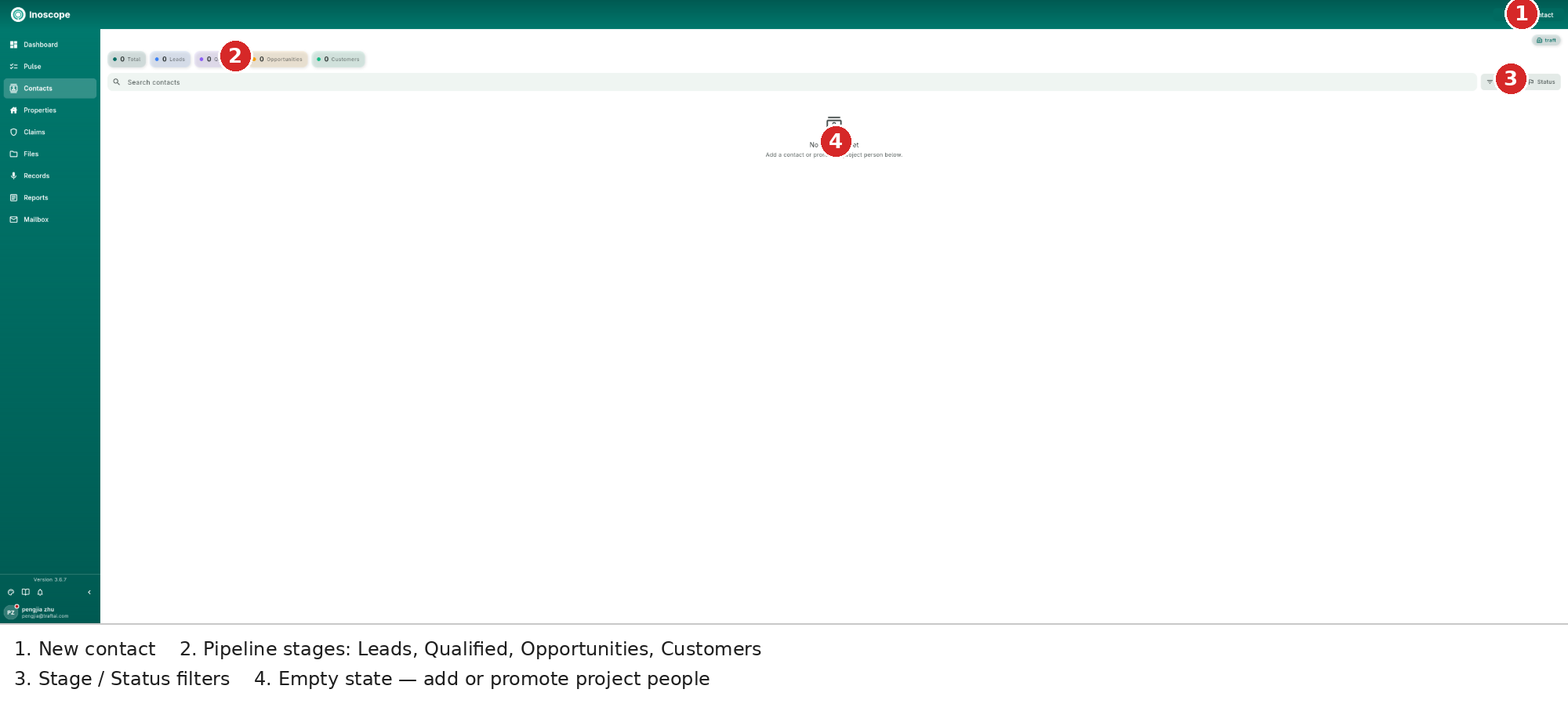
- Pipeline counters — Total, Leads, Qualified, Opportunities and Customers.
- Search and filters — search by contact, then narrow by Stage or Status.
- Trade tags — filter common tags such as Plumbing, Electrical, Roofing and General.
- Contact rows — stage, owner and contact details.
- New contact — open the full contact form.
Add a Contact
New contact opens a full page rather than a small one-field dialog. The top of the form contains the identity and outreach fields.
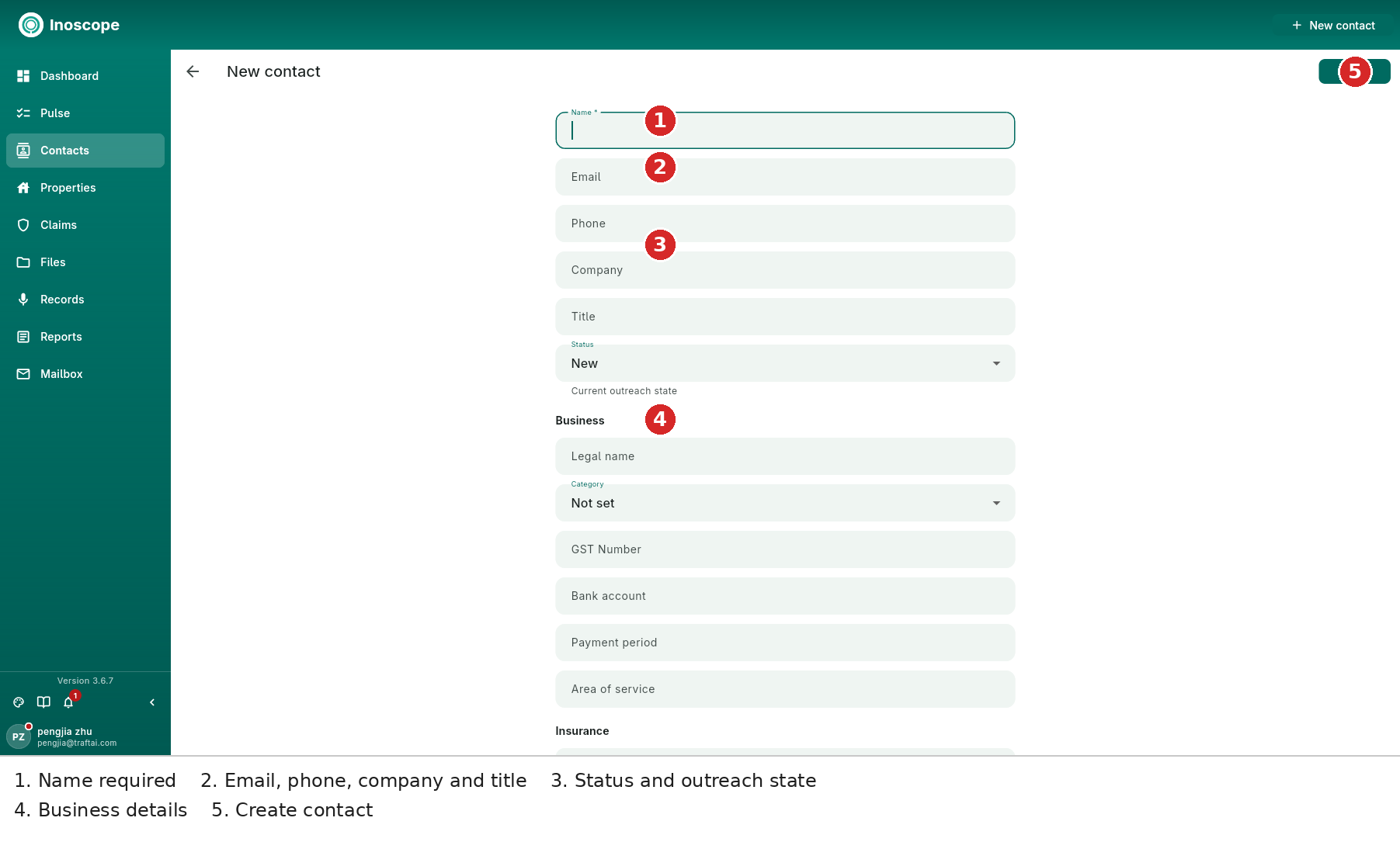
- Name is required; add email, phone, company and title.
- Status records the current outreach state, starting at New.
- Business stores legal name, category, GST number, bank account, payment period and area of service.
- Create saves the contact; the back arrow returns to the contact list.
Insurance and Licence
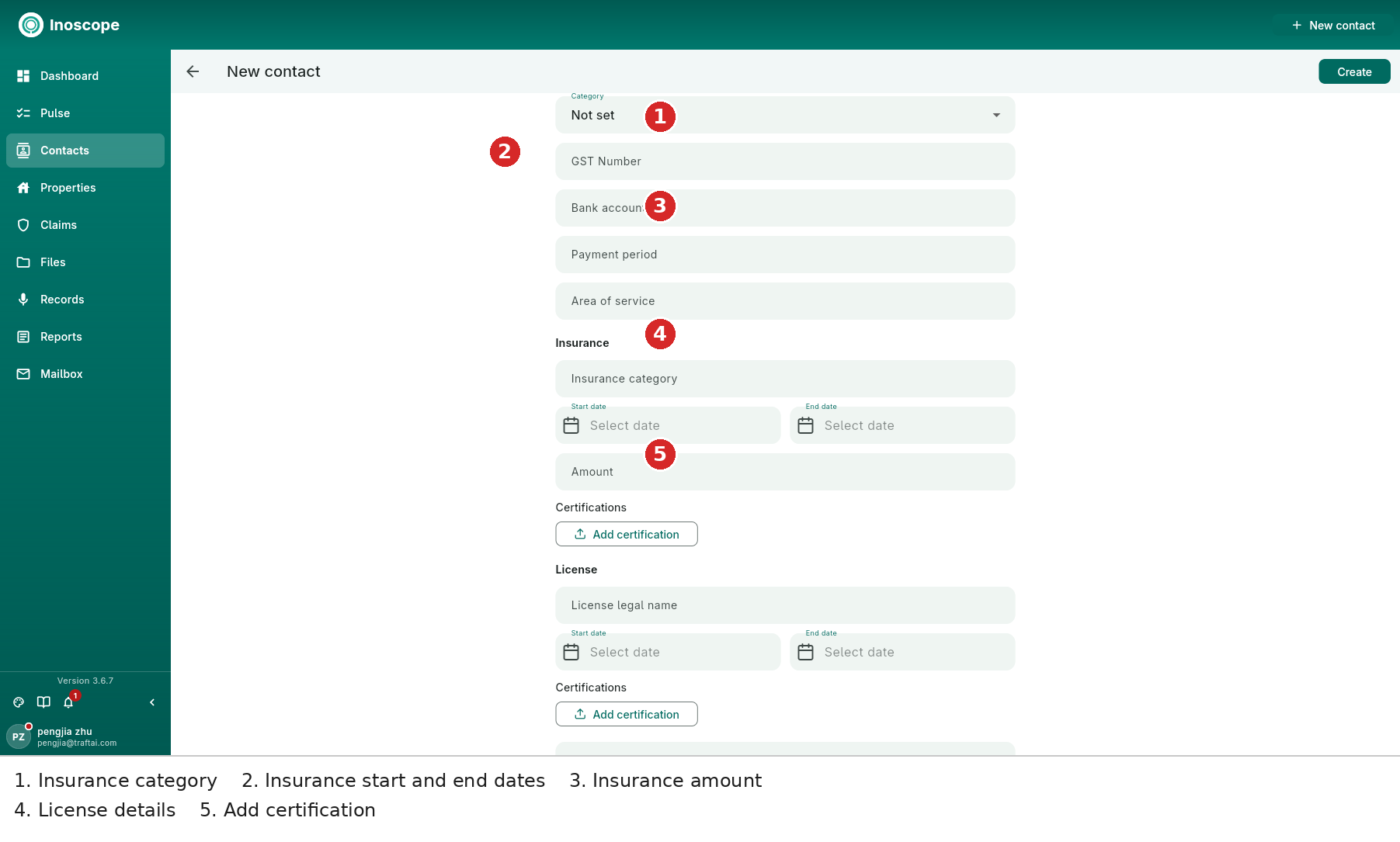
The supplier-facing form records:
- Insurance category, start date, end date and amount.
- Insurance certifications with Add certification.
- Licence legal name, start date, end date and licence certifications.
Source, Tags and Notes
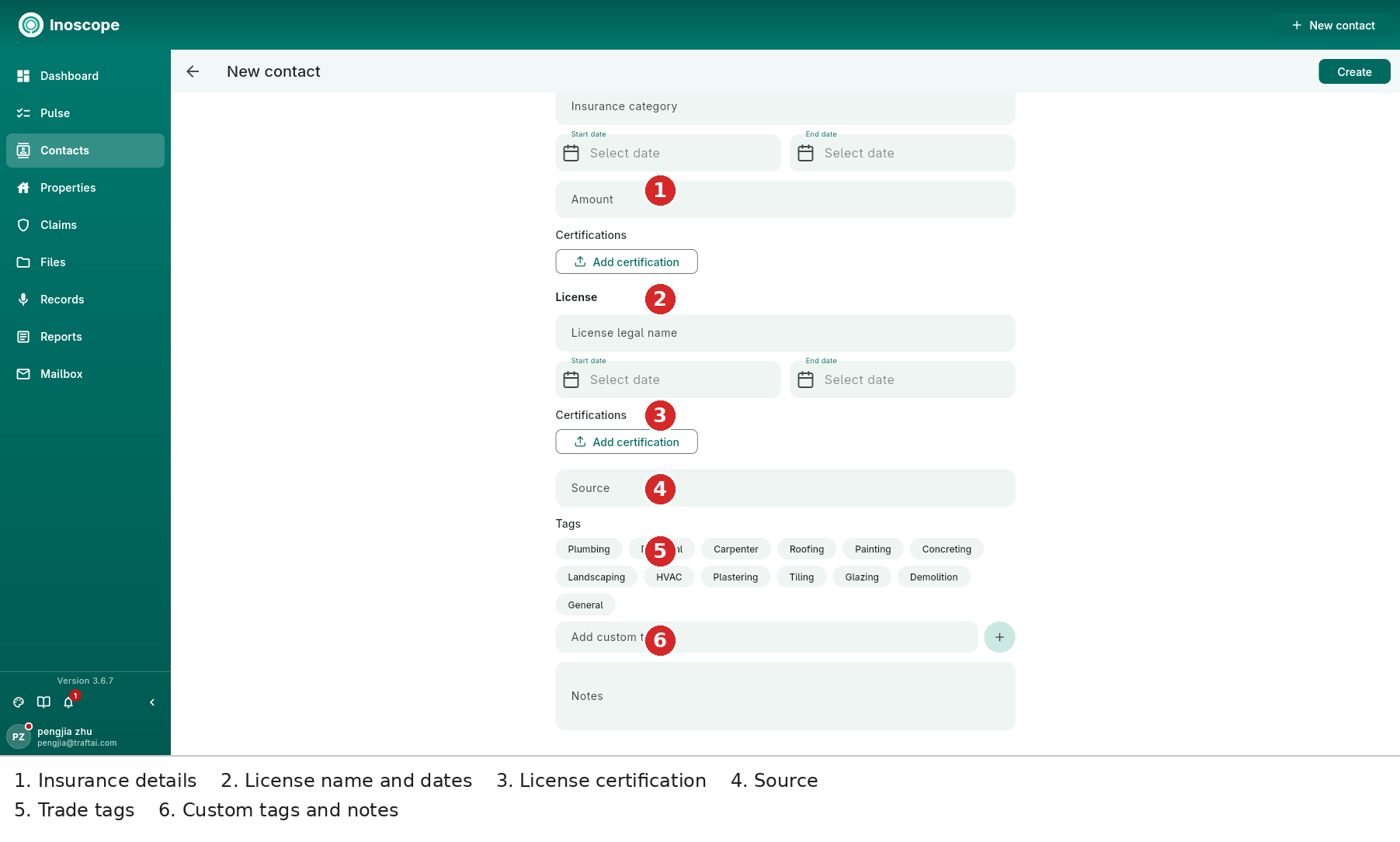
The bottom of the form includes the licence Source, predefined trade tags, an Add custom tag field with a plus action, and free-form Notes. Tags make preferred suppliers easy to find; notes preserve commercial context that should not be lost between jobs.
What a Contact Holds
- Identity — name, email, phone, company and title.
- Business details — legal name, category, tax number, banking and payment terms.
- Insurance and licences — validity dates, amounts, sources and certifications.
- Tags and notes — trade filters and internal context.
- Stage and status — move people through Leads → Qualified → Opportunities → Customers.
Preferred Suppliers and Bee
Preferred suppliers can carry rate books and trade tags. While pricing, Bee can use supplier context to choose realistic rates. Bee can also bulk import contacts from a pasted list, file or email, extracting names, companies and categories.